Hi everyone,
While creating the App Settings page in the developer hub, I noticed that the field “JWT secret” is marked as optional in the documentation. It says that if left empty, the client secret will be used by default.
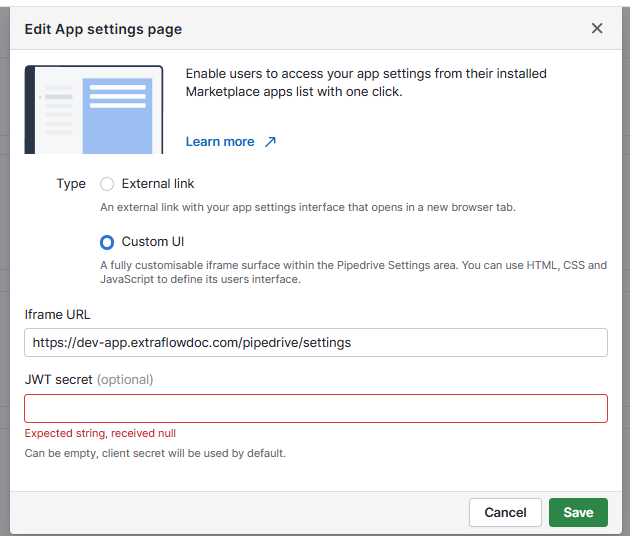
However, in practice, the system does not allow saving the configuration without entering a value in this field. Instead, it shows the error:
Expected string, received null
Screenshot attached:
Has anyone faced this issue? Is it a bug in the developer hub, or do I need to provide a fallback value manually to proceed?
Thanks in advance!